
Agent Builder

Build voice agents in a visual canvas.

Compose call flows, prompts, tools and knowledge in a no-code builder, test them in live chat, and ship to production in days.
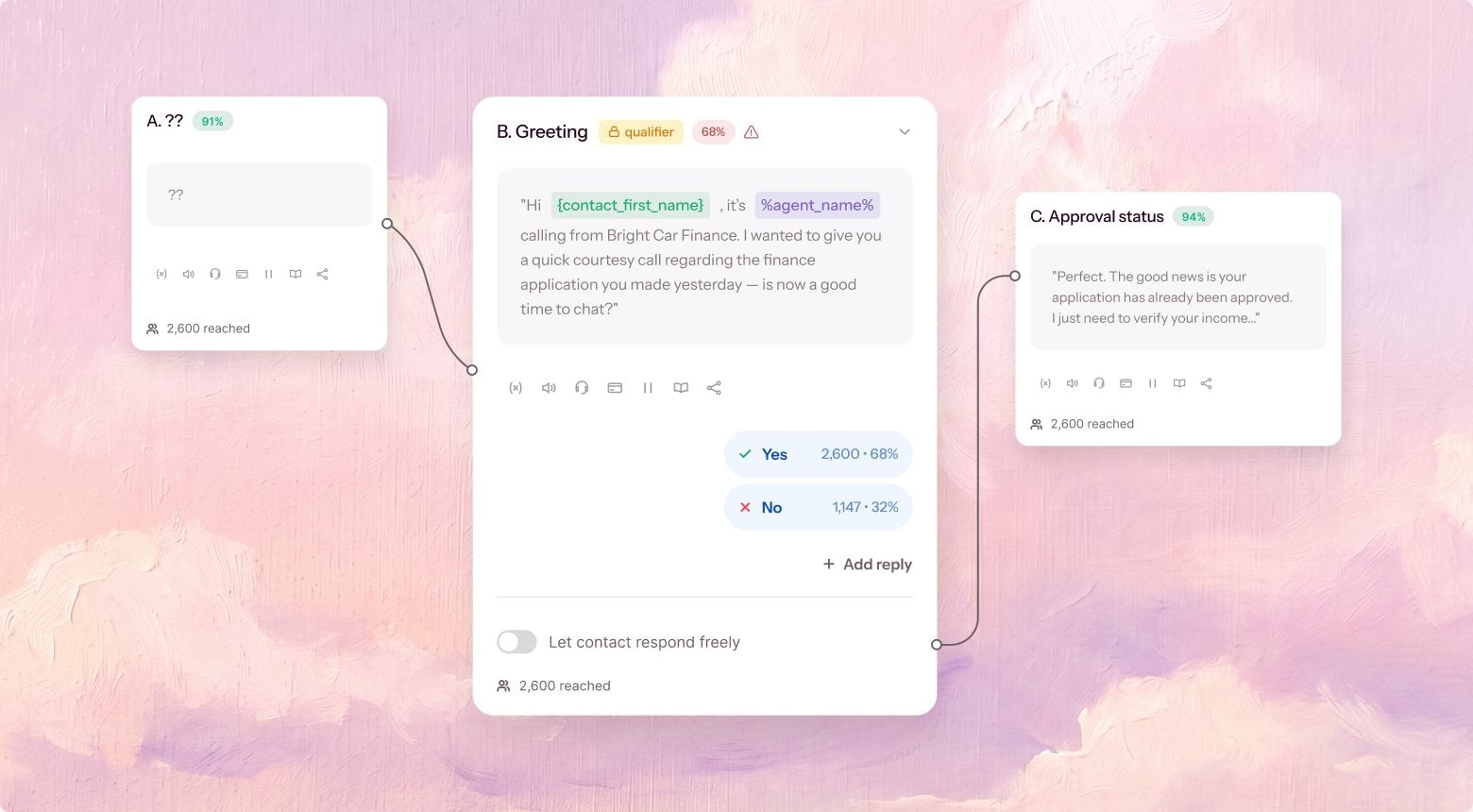
Agent Builder canvas: a greeting step branching on the caller's answer to an approval-status step

What you get

A builder and a test lab, in one.

Everything you need to design, test, and ship a voice agent - without an engineering ticket.

Woman on a phone call at her desk, the kind of conversation an agent built on the canvas handles

01

Visual call-flow canvas

Compose call flows, prompts, and branches on a drag-and-drop canvas - no code.

02

Guided creation

Describe the agent in plain language and start from a scaffolded draft, not a blank page.

03

Voice & persona

Set the voice, tone and persona - and how the agent introduces and represents your brand.

04

Knowledge & tools

Connect your docs, data and tools so the agent answers and acts from your source of truth.

05

Parameters & guardrails

Set variables, business rules and hard guardrails the agent can't cross on any call.

06

Live test chat

Talk to the agent as you build, hear every change instantly, and catch issues pre-production.

How you build an agent

  1. Describe it: Tell Harmony.ai what the agent should do and start from a guided, working draft.
  2. Design the flow: Shape the call on the canvas - steps, branches, tools, knowledge and guardrails.
  3. Test & ship: Talk to it in live chat, version what works, and ship to production in days.

Everything your agent needs to run the call

Smart Routing & IVR Traversal

Understands inbound intent in under 200ms and navigates complex phone trees to reach the right stakeholder.

AI Dialer

Predictive, power, and batch dialing so your agent works outbound at volume.

Branded Caller ID

Your name on every dial, so more of your calls actually get picked up.

Call Analytics & QA

Every call scored and exportable. See what closes and what doesn't.

Voice AI for revenue teams, answered.

Software that holds a real phone conversation - it listens, understands and responds in the moment, instead of pushing callers through a phone tree. For a revenue team that means inbound calls get answered, leads get qualified and meetings get booked without anyone waiting on a rep to pick up the phone.

Both, by design. The AI runs the outreach - dialing, qualifying, follow-ups - and a human closes: when a prospect is warm and ready, the agent hot-transfers them live to your rep. By default the agent tells people it is an AI, and you can change that disclosure to fit your business and the rules in your country.

Days, not quarters. You point Harmony at a number, build the agent against the script your team already uses, then listen to test calls until it sounds right. There is nothing to install and you keep your existing telephony, which is what removes most of the usual wait.

That depends far more on how the agent is configured than on the technology. Harmony gives you the controls compliance teams ask for - disclosure at the top of the call, consent capture, recording rules that vary by region, and a full transcript and audit trail for every conversation. Tell us which obligations apply to you and we will walk through the Trust Center together.

Those are developer toolkits for assembling a voice bot; Harmony is a system for running revenue calls. We train our own model for the phone rather than stitching a stack together, which is how we hold responses under 200ms, and every call feeds back so the agent gets sharper instead of staying static. The dialer, routing, analytics and CRM write-back come in one place rather than being wired up by you.

Yes, and you keep the numbers you already have. Harmony runs on your existing telephony and writes back to your CRM, so dispositions, transcripts and booked meetings land on the record without anyone copying them across. If your stack is not on the integrations list we will connect it through the API.

See an agent built and shipped live.

Bring a use case and we'll build the agent on the canvas, test it in live chat, and show you the path to production.