- An AI voice agent for home health agencies handles shift confirmations, call-outs, referrals, reminders, and routine scheduling requests.
- Approved call flows and live transfers keep clinical questions, complaints, and urgent situations with authorized staff.
- A signed HIPAA BAA and a defined PHI policy are mandatory before production calls begin in 2026.
- Start with repetitive administrative calls, then expand only after transfer and documentation rules work consistently.
Home health agency voice AI is phone automation that handles caregiver, patient, family, and referral calls with the aim of protecting visit coverage and reducing administrative work in 2026. Home health calls differ because one queue carries routine scheduling requests, urgent caregiver call-outs, sensitive patient information, and referral opportunities that require different escalation rules.
Why voice AI matters for home health agencies
The phone is an operational control point for home health and in-home care agencies. Caregivers report absences. Patients and families confirm visits. Referral sources ask whether the agency can accept a case. Each call affects staffing, scheduling, intake, or service recovery.
The problem is concurrency. A coordinator handling a caregiver call-out cannot answer a referral call at the same moment. A family member waiting for an update competes with routine confirmation calls. Voicemail captures a message, but it does not classify urgency, confirm a schedule, or transfer a qualified referral.
The right 2026 model separates repetitive administrative calls from situations requiring clinical judgment. An AI voice agent handles the approved flow. Authorized staff take over when the caller raises a clinical question, reports an emergency, disputes care, or needs an exception.
Appointment workflows deserve their own operating rules. The AI patient scheduling guide explains how enterprises structure booking and front-desk handoffs without turning every request into a manual callback.
For home health operations leaders, the objective is not to remove people from the phone. It is to stop using trained staff for repetitive confirmation, intake, and routing work while urgent calls wait.
Build a home health voice AI program
Treat deployment as a call-operations project, not a software installation. Document the current queue first. Then define what the agent handles, what it records, and what it transfers.
1. Map every inbound and outbound call type
Start manually. Review your call reasons and group them by operational outcome rather than department name. A patient rescheduling a visit and a caregiver reporting an absence both affect the schedule, but they require different permissions and escalation paths.
Create a call inventory that identifies the caller, requested action, information involved, destination system, and responsible staff role. Use the inventory as the scope boundary for the 2026 deployment.
Caregiver shift confirmations and call-outs
Patient and family scheduling requests
Referral intake and qualification calls
Visit reminders and no-response follow-up
Billing, complaint, and clinical-question routing
2. Set urgency and ownership rules
Write a plain-language decision table before writing scripts. Every call type needs one owner, one fallback, and a clear definition of urgent. Do not let the agent infer clinical urgency from an unrestricted conversation.
Manual rules can start in a shared document. Operations, compliance, intake, and clinical leadership should approve the same version before implementation. The final rules become the agent’s boundaries.
Transfer emergencies and clinical questions to authorized staff
Escalate caregiver call-outs to the designated scheduling queue
Route qualified referrals to intake with captured context
Send routine scheduling requests through the approved workflow
Define the fallback when the primary destination does not answer
3. Write deterministic call flows
Build the manual script first. List the required questions, permitted responses, verification steps, transfer triggers, and closing action for each call type. Remove any question that does not change the next action.
This is where Harmony.ai becomes the faster path. Harmony.ai runs approved, deterministic flows on its own model built for the phone and uses LLMs when a moment needs flexibility. Sub-200ms latency keeps turn-taking responsive, while defined boundaries prevent the agent from inventing an offer or changing an approved process.
Harmony.ai is best for mid-market and enterprise home health agencies that need an AI voice agent to run approved inbound and outbound call flows, then hot-transfer exceptions to staff.
Ask only questions required for routing or action
Confirm critical details before writing a record
Prevent unapproved clinical, financial, or service commitments
Transfer when the caller leaves the permitted flow
End every completed call with a documented disposition
4. Connect each call to an operational record
A completed conversation is not a completed workflow until the outcome reaches the team responsible for the next action. Define where confirmations, call-outs, referrals, and transfer notes must appear.
Do not rely on a transcript as the primary work queue. Staff need a structured disposition that states what happened, what action is due, and who owns it. Full conversation records support review, but the disposition drives execution.
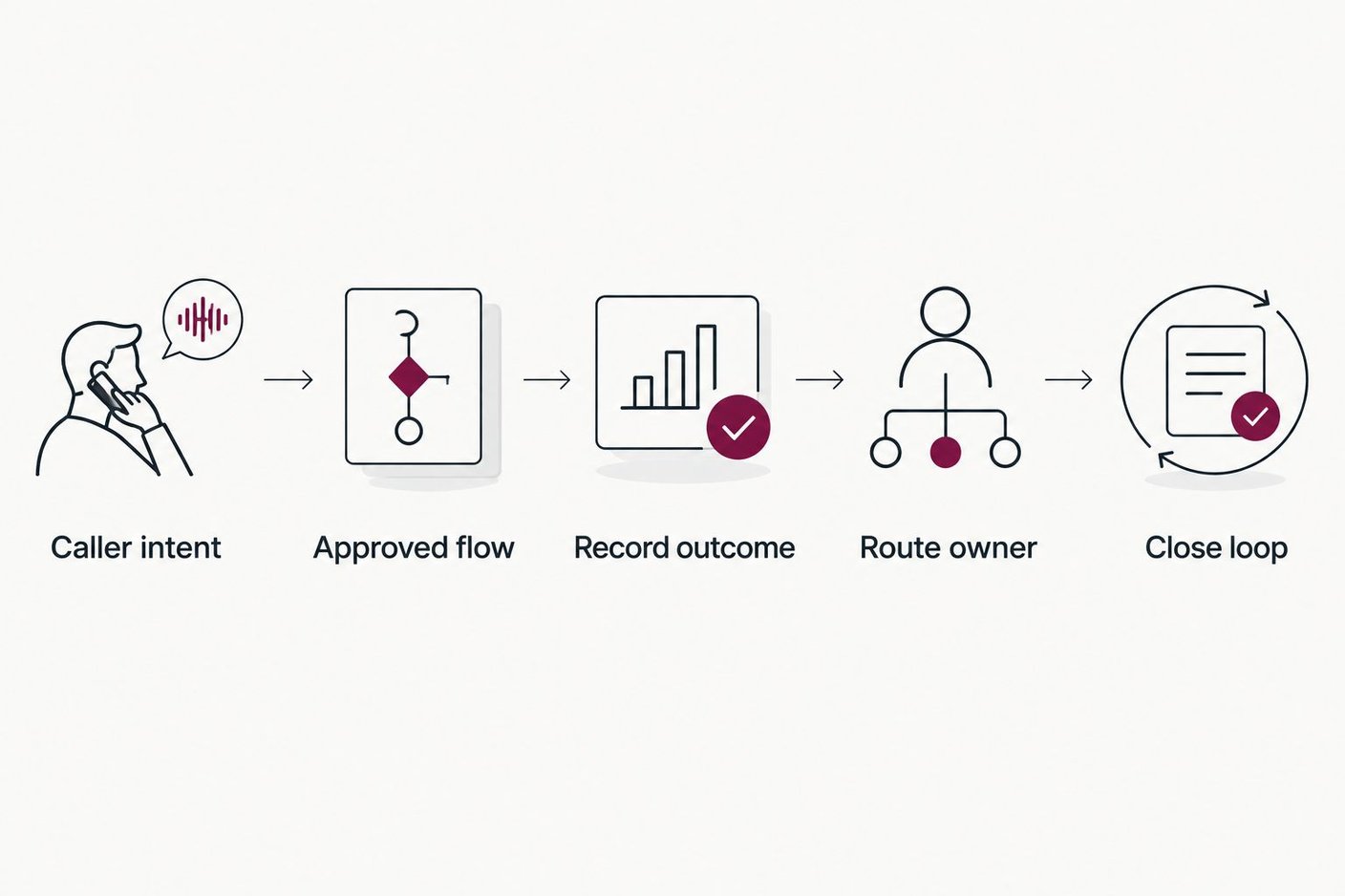
A call is complete only when its outcome reaches the staff member responsible for the next action.
Create separate dispositions for confirmed, rescheduled, transferred, and unresolved calls
Attach the caller’s verified details to the disposition
Assign a named team or role to every follow-up state
Preserve the call record for audit and quality review
Test failed writes and duplicate records before launch
5. Automate confirmations and reminder calls
Outbound confirmations are a practical first production use case because the objective is bounded: reach the person, verify the visit or shift, capture the response, and route exceptions. Staff can perform this process manually while the flow is being approved.
In 2026, Harmony.ai can run outbound confirmation and follow-up calls at scale. The agent follows the approved script on every dial, records the result, and transfers when the caller requests staff or raises an issue outside the flow.
A reminder program should distinguish no answer from an explicit cancellation. Those outcomes require different follow-up actions and should never share one generic disposition.
Confirm the scheduled date and agreed visit window
Capture confirm, cancel, reschedule, and no-answer outcomes separately
Route cancellations and rescheduling requests to the scheduling team
Stop further attempts when the person completes the requested action
Keep the approved message consistent across every call
6. Design live transfers and fallback behavior
A transfer is part of the experience, not an escape hatch. Define which staff queue receives the call, what context travels with it, and what happens if nobody answers. Test each path with realistic interruptions and ambiguous responses.
The caller should not have to repeat verified details after transfer. Pass the reason for the call, completed verification steps, captured answers, and transfer trigger to the receiving team.
Review the warm-transfer guide when designing handoffs between the agent and home health staff. Warm transfers preserve context; cold transfers create another intake step.
Transfer clinical questions, complaints, and emergencies immediately
Send referral context to intake before connecting the call
Route caregiver call-outs with the affected shift details
Define voicemail or callback handling when staff are unavailable
Confirm that failed transfers produce an owned follow-up task
7. Approve compliance controls before production
Home health calls can include protected health information. Complete the privacy, security, consent, retention, and access review before the agent takes production traffic. A pilot does not remove those obligations.
Harmony.ai is SOC 2 Type II, offers a HIPAA BAA, and is GDPR/CCPA-ready and TCPA-aware. Those controls support procurement, but the agency still owns its permitted-use rules, outbound calling policy, access model, scripts, and escalation design.
The voice AI security guide provides a focused checklist for evaluating vendor controls and contract language in 2026.
Execute a BAA before any call involving PHI
Limit access to recordings, transcripts, and dispositions by role
Document outbound consent and suppression requirements
Define retention and deletion rules for call data
Require an audit trail for changes to approved flows
8. Measure outcomes and revise the flow
Start with operational measures tied to the use case. A confirmation flow should report completion and exception outcomes. A referral flow should report qualified transfers and unresolved calls. A call-out flow should show whether the scheduling team received the required information.
Review failures by mechanism. A caller may fail verification, leave the approved flow, request a person, or reach an unavailable transfer destination. Each failure needs a different fix.
Do not evaluate the program on call volume alone. More automated calls can still create more work if dispositions are unclear or transfers lack context.
Track completed, transferred, unresolved, and failed calls separately
Review transfer failures and repeat-call patterns every week
Audit whether dispositions reach the correct staff queue
Update approved language when callers repeatedly misunderstand a question
Expand scope only after the first flow meets its operating standard
Compare call-handling options
No single option fits every home health call. The correct 2026 design assigns routine volume to automation and keeps judgment-heavy work with authorized staff.
In-house coordinators
Best for: Clinical questions, exceptions, complaints, and complex scheduling
Main advantage: Staff can apply agency policy and judgment
Key limitation: Simultaneous routine calls consume the same capacity needed for urgent work
Traditional answering service
Best for: Message capture outside staffed periods
Main advantage: Adds external phone coverage without changing internal staffing
Key limitation: Available actions and healthcare controls depend on the service agreement
Touch-tone IVR
Best for: Routing callers to known departments
Main advantage: Predictable menu-based routing
Key limitation: Cannot complete a multi-turn intake or adapt within an approved conversation
Harmony.ai voice agent
Best for: Enterprise confirmation, referral, routing, and follow-up flows
Main advantage: Runs inbound and outbound calls end to end and hot-transfers defined exceptions
Key limitation: Requires approved flows, system mapping, testing, and compliance review before launch
The best operating model assigns repeatable administrative calls to the voice agent and sends clinical judgment, exceptions, and sensitive service recovery to staff. Automation fails when an agency asks one unrestricted agent to handle every possible conversation.
Review your call operation
Map one home health call flow and the live-transfer rules required for production.
Common mistakes home health agencies make
Automating an undocumented process
If coordinators handle the same call in different ways, automation reproduces the conflict. Approve one operational flow before configuring the agent.
Treating every call as routine
A scheduling request can become a clinical question or complaint within one turn. The agent needs explicit transfer triggers and a receiving staff queue.
Using transcripts as task management
A transcript preserves the conversation but does not assign the next action. Every call needs a structured disposition, owner, and status.
Launching before the BAA is signed
Test data can still expose protected health information if real callers enter the flow. Complete the BAA and access review before production traffic.
Measuring containment without checking resolution
A call that stays with the agent but creates a repeat call is not resolved. Track repeat contacts, unresolved outcomes, and failed transfers alongside completed calls.
FAQ
What does an AI voice agent for home health agencies do?
An AI voice agent for home health agencies answers and places calls for shift confirmations, caregiver call-outs, referrals, reminders, scheduling, and routine routing. It transfers clinical questions, complaints, emergencies, and other exceptions to authorized staff.
Is Harmony.ai suitable for enterprise home health agencies?
Yes. Harmony.ai is built for mid-market and enterprise teams that need sales-assisted deployment, approved call flows, inbound and outbound calling, and live transfers. It is not positioned as a self-service tool.
Can a voice agent handle protected health information?
A voice agent can handle approved workflows involving protected health information when the vendor signs a BAA and the agency implements the required privacy, access, retention, and escalation controls. Harmony.ai offers a HIPAA BAA and is SOC 2 Type II.
Can an AI voice agent manage caregiver call-outs?
Yes, when the agency defines the required verification, shift details, escalation destination, and fallback. The agent captures the approved information and routes the call-out to the responsible scheduling queue.
Can voice AI reduce missed home health visits?
Voice AI reduces missed-confirmation risk by placing reminder calls, capturing confirmation or rescheduling outcomes, and routing exceptions before the visit. The agency must define timing, consent, and follow-up rules for its patient population.
What happens when the voice agent cannot complete a call?
The approved fallback should hot-transfer the caller, create an owned callback task, or route the outcome to the correct queue. The choice depends on call urgency and staff availability.
How fast does Harmony.ai respond during a call?
Harmony.ai operates at sub-200ms latency. Its own model is built for the phone and uses LLMs when a conversation needs flexibility within the approved flow.
How should a home health agency start with voice AI in 2026?
Start with one bounded administrative flow, such as shift confirmation or visit reminders. Approve the script, BAA, data handling, disposition, transfer path, and failure behavior before expanding scope.
One last thing
Do not begin with the call type that attracts the most executive attention. Begin with the call type that has the clearest action, the least judgment, and the cleanest record destination. Shift confirmations and visit reminders usually fit that operating pattern better than complaints or clinical questions.
For a 2026 home health deployment, the final pre-launch test is simple: interrupt the agent, change an answer, request a person, refuse verification, and send the transfer destination offline. Harmony.ai should follow the approved fallback each time. Choose one call flow, define its owner, and talk to sales only after the operating rules are written.